Showing posts with label vat registrations online registrations. Show all posts

Friday, July 10, 2015

ఆంద్రప్రదేశ్ sales Tax వారు కొత్తగా ప్రవేశ పెట్టిన 200A form

ఆంద్రప్రదేశ్ sales Tax వారు కొత్తగా ప్రవేశ పెట్టిన 200A form ఇలా    
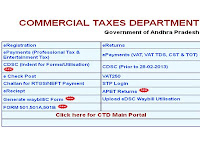
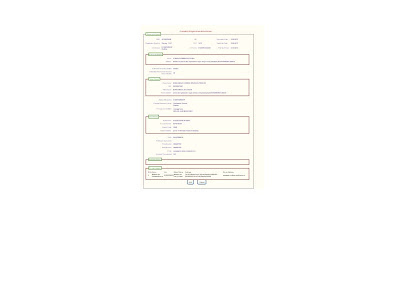
వుంటుంది,ఇది purchase list మరియు sales List అనగా Anexure 1 అండ్ 2 uplode చేసి,తర్వాత confirm చేసిన తర్వాత మాత్రమే openఅవుతుంది అప్పుడే దీనిని చూడగలం

Tuesday, June 03, 2014

Re-Organization of the State of Andhra Pradesh, New TINS(sales Tax)

ISSUE OF TINS TO VAT DEALERS IN THE WAKE OF AP STATE RE ORGANISATION:
HELP DOCUMENT FOR DEALERS DT :15-April-2014
In the wake of re-organization of the state of Andhra Pradesh, new TINS with appropriate state codes have to be issued to all VAT dealers. The respective state codes are decided by the Government of India and will be made known to all soon.
To facilitate the process of issuing TINs to dealers, an online form has been designed to seek the dealer’s option for continuing Registration in the state(s) of their choice. This online option form is available in the dealer login and will pop up once a dealer logs in to file his return/ take statutory forms etc.
The Department advises you to fill the online option form at the earliest.
Using the online option Form 

The option form is enabled in the dealer login
It will pop up once a dealer logs in to file his return/ take statutory forms or transact on the portal
Dealer has to choose relevant option depending on the scenario i.e. can choose to continue only in the Residuary State of AP, can choose to continue only in Telangana, can choose to have Registration in both the states, can choose to shift entire Registration from one state to another.
Please see power point presentation at the following link for detailed steps for each scenario.
Once the dealer clicks on “submit” button, he/she cannot go back and edit the data. So the dealers are requested to exercise due caution while filling the form and submitting the data.
Once a dealer submits an option form, he/she can print an acknowledgement and file it for record.

CST Registration 

If a dealer has CST Registration, the CST registration will continue to be valid and his CST registration data holds good. However, the dealer is requested to collect CST registration certificate from the concerned Registering authority, on /after 02-June-2014.( Because TIN will change)
If a dealer does not have CST Registration and is opting for Registration in both the states of Telangana and Residuary State of Andhra as a result of State bifurcation, he will be given an online option to give CST commodity details. The dealer is requested to collect the new CST Registration Certificate along with VAT RC from their Registering Authority
Generation of TINs

Once all option forms from dealers are received, TINS will be generated as a batch process. The TIN generated with the changed state code will be notified well in advance to the dealer online or through e-mail as per the timelines given below.
The TIN is the same for both VAT & CST
Issue of Registration Certificate

VAT Registration Certificates will be issued by the concerned Registration Authority on/after 02-June-2014. The dealers are requested to collect the RCS from their respective Circle Offices.
Timelines

Filing of online option form : By 30-April-2014
Generation of TINs :By 08-May-2014
Issue of RCs by Department : On/after 02-June-2014
Helpdesk

 For any clarification, query regarding the Issue of TINs, please write to ctd_helpdesk@apct.gov.in or vatis_helpdesk2@apct.gov.in. We will be glad to assist you!
Note: This document will be updated from time to time, based on feedback/suggestions received from the dealers.

Saturday, May 03, 2014

Know Your(Andhra Pradesh) VAT TIN for Verification of TIN Number

Person can search, Verify and know his or other dealers TIN VAT Details for Andhra Pradesh State (AP State).  Starting digit codes for Andhra Pradesh State VAT TIN is 28, so every TIN VAT Number will start with 28 for Andhra Pradesh State. Only One TIN VAT is issued to a dealer in registered in AP State for VAT and CST purpose but he has to apply for registration for VAT and CST in separate forms but TIN Number will remain the same. 

Following Details for the Dealer will be generated for the given TIN Number for Andhra Pradesh Dealer
  • TIN Number of the Dealer:
  • APGST Number of the Dealer:
  • CST Number of AP Dealer:
  • Commodity Name:
  • Firm Name of the Dealer:
  • Address of AP Dealer:
  • Status of Dealer:
  • AP VAT Registration Date:
  • CST Registration Status: Yes/No:
  • Cancellation/Deletion Date w.e.f:
  • Division of AP VAT Dept: Department of A&P VAT
  • Circle of AP VAT Dept
  • Owner Name for VAT TIN:
  • Tax Type: VAT/CST
Search Andhra Pradesh State VAT TIN Details by TIN Number
Andhra Pradesh TIN VAT Verification

Friday, April 18, 2014

కొత్త టిన్ నంబర్లు!

వారం రోజుల్లో తెలంగాణ రాష్ట్రంలోని (హైదరాబాద్, రంగారెడ్డి జిల్లాలతో సహా) వ్యాపారస్తులకు పన్ను చెల్లింపుదారుల గుర్తింపు సంఖ్య (టిన్) కొత్త నంబర్లను ఇస్తామని వాణిజ్య పన్నుల శాఖ కమిషనర్ హీరాలాల్ సమారియా చెప్పారు. తొలి విడతగా 2 లక్షల మంది డీలర్లకు కొత్త టిన్ నంబర్లను కేటాయించాలని లక్ష్యంగా పెట్టుకున్నామన్నారు. కేటాయించిన కొత్త టిన్ నంబర్లు జూన్ 2వ తేదీ నుంచి అమలులోకి వస్తాయని పేర్కొన్నారు. ఫ్యాప్సీ ఆధ్వర్యంలో మంగళవారమిక్కడ జరిగిన ‘ఆంధ్రప్రదేశ్ పునర్‌వ్యవస్థీకరణ- వాణిజ్య పన్నులు’ అనే సమావేశంలో ఆయన పాల్గొన్నారు.
ఈ సందర్భంగా హీరాలాల్ మాట్లాడుతూ.. ‘మొత్తం 11 నంబర్లుండే టిన్ నంబర్‌లో మొదటి రెండు నంబర్లు రాష్ట్రం యొక్క కోడ్‌ను సూచిస్తుంది. మిగిలిన 9 నంబర్లను ఆయా రాష్ట్ర ప్రభుత్వం కేటాయిస్తుంది. అయితే కొత్తగా ఏర్పడిన తెలంగాణ రాష్ట్రంలోని డీలర్లకు కేటాయించే టిన్ నంబర్ల విషయంలో.. ఇప్పుడున్న టిన్ నంబర్ల ముందు కొత్తగా కేంద్ర ప్రభుత్వం కేటాయించే మొదటి రెండు నంబర్లు పెట్టాలా లేక పూర్తిగా 11 నంబర్ల కొత్త టిన్ నంబర్‌ను ఇవ్వాలా అనే విషయంలో కేంద్రానికి లేఖ రాశామని’ ఆయన వివరించారు. వారం రోజుల్లో ఈ విషయంపై స్పష్టత వస్తుందని ఆ తర్వాతే కొత్త టిన్ నంబర్లను కేటాయిస్తామని పేర్కొన్నారు. జూన్ 2 తర్వాత వ్యాపారస్తులు పన్ను రిటర్న్ దాఖలు చేసేటప్పుడు రెండు రాష్ట్రాల ప్రత్యేక టిన్ నంబర్లు ఉపయోగించాలని సూచించారు. రెండు రాష్ట్రాల్లో చేసే వ్యాపార కార్యకలాపాలను బట్టి వేర్వేరుగా పన్నులుంటాయని చెప్పారు. ఆయా పన్నుల ద్వారా వచ్చే ఆదాయంలో 53 శాతం తెలంగాణకు, 47 శాతం ఆంధ్రప్రదేశ్ రాష్ట్రం కోసం కేటాయింపులుంటాయని వివరించారు.

 రూ.50 వేల కోట్ల ఆదాయం: గతేడాదితో పోలిస్తే రాష్ట్రంలో వాణిజ్య పన్నుల ఆదాయం 20 శాతం వృద్ధితో రూ.50 వేల కోట్లను వసూలు చేసిందని చెప్పారు. దేశంలోనే ఇంత మొత్తంలో ఆదాయాన్ని ఆర్జించింది మన రాష్ట్రమే అని కొనియాడారు. ప్రస్తుతం రాష్ట్రంలో వాణిజ్య పన్నుల బ కాయిలు రూ.12 వేల కోట్లుగా ఉన్నాయని, రీఫండ్ అయితే రూ.5 వేల కోట్లుగా ఉన్నాయని పేర్కొన్నారు. పాలనాపరమైన సౌలభ్యం కోసం మాత్రమే పదేళ్ల పాటు హైదరాబాద్ సంయుక్త రాజధానిగా ఉంటుందని వాణిజ్య పన్నులు చెల్లింపు, ఆదాయం కేటాయింపుల్లో ఆంధ్రప్రదేశ్ రాష్ట్రంతో ఎలాంటి సంబంధం ఉండదని సమారియా వివరించారు. జూన్ 2 తర్వాత ఆంధ్రప్రదేశ్ రాష్ట్రంలో అమ్మకాలు చేయదలిస్తే సీ ఫామ్‌ను తప్పనిసరిగా దాఖలు చేయాల్సి ఉంటుందన్నారు. అదేవిధంగా 2 శాతం సెంట్రల్ సేల్స్ టాక్స్ (సీఎస్టీ) చెల్లించాల్సి ఉంటుందని చెప్పారు. సీఎస్టీ, వ్యాట్, రవాణా చార్జీలు, టోల్‌గేట్ల అనేక రకాల పన్నులు అదనంగా చెల్లించాల్సి ఉంటున్నందున ధరలు కూడా పెరిగే అవకాశముందని అభిప్రాయపడ్డారు.

తెలంగాణ, సీమాంధ్ర రాష్ట్రాల్లో నిర్వహించే వ్యాపారాలకు సంబంధిత వ్యాపారులు/సంస్థలు కొత్తగా రిజిస్ట్రేషన్ చేయించుకోవాలని వాణిజ్య పన్నుల శాఖ కమిషనర్ హీరాలాల్ సమారియా తెలిపారు. అపాయింటె డ్ డేట్ అమల్లోకి వచ్చిన వెంటనే కొత్త నంబర్‌తో వ్యాపారాలు చేయాలన్నారు.  కొత్త రిజిస్ట్రేషన్ కోసం ఈ నెలాఖరులోగా దరఖాస్తు చేసుకోవాలని, వీరికి మే 8లోగా టిన్ నంబర్లు కేటాయిస్తామన్నారు. అపాయింటెడ్ డేట్ అమల్లోకొచ్చిన తర్వాత రిజిస్ట్రేషన్ నంబర్ ఫారాలు బట్వాడా చేస్తామన్నారు. జూన్ 2 నుంచి కొత్త రిజిస్ట్రేషన్‌తో మాత్రమే వ్యాపారాలు నిర్వహించాలన్నారు. జూన్ ఒకటవ తేదీ వరకు పాత నంబర్లతో వున్న సి ఫారాలను వినియోగించి, రెండో తేదీ నుంచి కొత్త నంబర్లతో ఫారాలు దాఖలు చేయాలన్నారు. రిటర్స్న్, ఇన్సెంటివ్, ఆడిట్లు ఇతర అంశాలపై సంబంధిత అధికారులను సంప్రదించాలని చెప్పారు. మే నెలాఖరు రిటర్న్స్‌లోనే జూన్ ఒకటో తేదీన జరిగే లావాదేవీలను పొందుపరిచాల్సి ఉంటుందని కమిషనర్ తెలిపారు. పన్నుల రిటర్న్స్‌కు సంబంధించి మూడు నెలల్లో క్లెయిమ్‌లు చెల్లిస్తామని చెప్పారు. ప్రతి వ్యాపారికి 11 అంకెల టిన్ నంబరు వుంటుందని, టిన్ నంబరులోని తొలి రెండు అంకెలు రాష్ట్రానికి సంబంధించినవని అడిషనల్ కమిషనర్ లక్ష్మీప్రసాద్ తెలిపారు. ఉమ్మడి ఆంధ్రప్రదేశ్‌లో 28తో టిన్ నంబర్ ప్రారంభమవుతుందన్నారు. తెలంగాణకు 36, సీమాంధ్రకు 37తో టిన్ నంబర్ మొదలవుతుందని చెప్పారు. రెండు రాష్ట్రాల్లో వ్యాపారాలు నిర్వహించే వారు వేర్వేరుగా రిజిస్ట్రేషన్ చేసుకోవాలని పేర్కొన్నారు. 

రిజిస్త్రేషన్ విధానం వీడీయో రూపం లొ కావాలంటే ఇక్కద క్లిక్ చేయండి 
DEMO on ONLINE OPTION FORM.pdf 

వ్యాట్ ద్వారా ఏ జిల్లాలో ఎంత ఆదాయం

విలువ ఆధారిత పన్ను:

రాష్ట్ర సొంత పన్ను సంబంధిత ఆదాయ వనరుల్లో సింహ భాగం విలువ ఆధారిత పన్ను (వ్యాట్) ద్వారానే వస్తోంది. గత ఆర్థిక సంవత్సరంలో రాష్ట్ర సొంత పన్నుల ఆదాయం రూ.66 వేల కోట్లు కాగా అందులో 75 శాతానికి పైగా అంటే రూ.42,795 కోట్లు వ్యాట్ ద్వారానే వచ్చింది. ఇందులో 66 శాతానికి పైగా.. అంటే రూ. 28,277 కోట్లు కేవలం హైదరాబాద్ నుంచే రావడం గమనార్హం. తెలంగాణ రాష్ట్ర ఏర్పాటు నిర్ణయం నేపథ్యంలో.. జిల్లాలు, రంగాల వారీగా ఆదాయ వివరాలను సేకరించి కేంద్ర మంత్రుల బృందానికి (జీవోఎం) సమర్పించే పనిలో రాష్ట్ర ప్రభుత్వ శాఖలు నిమగ్నమయ్యాయి. 
 అందులో భాగంగా 2008-09 ఆర్థిక సంవత్సరం నుంచి 2012-13 వరకు వ్యాట్ ద్వారా ఏ జిల్లాలో ఎంత ఆదాయం వచ్చిందనే వివరాలను ఆర్థిక శాఖ సేకరించింది. ఈ వివరాలను జీవోఎంకు పంపనున్నట్లు ఉన్నతస్థాయి వర్గాలు తెలిపాయి. రాష్ట్ర విభజన జరిగి తెలంగాణ రాష్ట్రం ఏర్పాటైతే హైదరాబాద్‌లో వస్తున్న వ్యాట్ ఆదాయాన్ని సీమాంధ్ర కోల్పోవాల్సి వస్తుందని, సీమాంధ్ర ప్రాంతం ఆదాయ వనరులు లేక తీవ్ర ఇబ్బందులను ఎదుర్కోవాల్సి వస్తుందని అధికార వర్గాలు పేర్కొంటున్నాయి. సీమాంధ్రలో కొత్త రాజధాని ఏర్పాటయ్యే వరకు హైదరాబాద్‌లో వస్తున్న ఆదాయాన్ని సీమాంధ్రకు కూడా పంపిణీ చేయాల్సి ఉంటుందని కూడా కొందరు అధికారులు అభిప్రాయపడుతున్నారు.

Thursday, November 21, 2013

Value Added Tax (VAT) & Sales Tax

Value Added Tax (VAT)


  • VAT is a multi-point destination based system of taxation, with tax being levied on value addition at each stage of transaction in the production/ distribution chain.
  • The term 'value addition' implies the increase in value of goods and services at each stage of production or transfer of goods and services.
  • VAT is a tax on the final consumption of goods or services and is ultimately borne by the consumer.

The State Governments, through Taxation Departments, are carrying out the responsibility of levying and collecting VAT in the respective States. While, the Central Government is playing the role of a facilitator for the successful implementation of VAT.
The entire design of VAT with input tax credit is crucially based on documentation of tax invoice, cash memo or bill. Every registered dealer, having turnover of sales above an amount specified, needs to issue to the purchaser serially numbered tax invoice with the prescribed particulars. This tax invoice is to be signed and dated by the dealer or his regular employee, showing the required particulars. For identification/ registration of dealers under VAT, the Tax Payer's Identification Number (TIN) is used. TIN consists of 11 digit numerals throughout the country. Its first two characters represent the State Code and the set-up of the next nine characters can vary in different States.

Sales Tax

Sales tax is levied on the sale of a commodity, which is produced or imported and sold for the first time. If the product is sold subsequently without being processed further, it is exempt from sales tax.
Sales Tax is a levy on purchase and sale of goods in India and is levied under the authority of both Central Legislation (Central Sales Tax) and State Governments Legislations (Sales Tax). The government levies Sales Tax principally on intra-state sale of goods. States also levy tax on transactions which are "deemed sales" like works contracts and leases.
In addition to Sales Tax, some states also levy additional tax, surcharge, turnover tax and the like. Ordinarily, Sales tax is recovered from the buyer as a part of consideration for sale of goods.
Sales tax is paid by every dealer on the sale of any goods made by him in the course of inter-state trade or commerce, despite the fact that no liability to tax is raised on the sale of goods under the tax laws of the appropriate state.

Sales Tax ID number(TIN/GRN)

A state Sales Tax ID number is essentially a business version of your Social Security number, under which you collect and pay tax for any service or product you sell, which in turn, qualifies for taxation in your state.
The rule of thumb for Sales Tax is that most services are exempt and most products are taxable except for food and drugs, though recent history reflects that states have been gradually adding to the list of services that are taxable.

Friday, June 28, 2013

VAT REGISTRATION

Some times you have no time to visit CTO office and NEED TO apply new VAT/TOT license for your Trade/business

In such case,I will try, how to apply on line for new VAT/TOT Licence /Registration in A.P. state
 STEP:1
  •   Fist you open a valid e mail ID on as your Own / Name Of The Firm
STEP:2
 
OR

STEP:3
  •        you see the below screen 
  •        then enter your email id
  •        click on
  •        "click here for password" 
STEP 4:
  •        next screen will open  to confirm your email id
  •        in the process you may required a text image to enter (to prove your not a machine)
  •       then a new password will sent your  email(save the password , it is use full  to login several  times   before submitting the  application form)
  • now your try to login your email id and new password which was received by mail then click on submit button
            
  
STEP:5:
  • In The next Screen  Click on the registration tab
  • A drop down menu will appear
  • you select on new registration
  • if you already done the above process previously and you want any changes or 'incomplete data  Entry 'you select
STEP:6(STEP 1 ON WEBSITE)
  •      In the next screen  you enter
  •      select as new business ,already existed,
  •      vat or tot
  •      CST (inter sate business licence) required or not
  •      select your business area where link with C.T.O office
  •      your new business details such as name ,Address,etc

P.S
 WHEN YOU COMPLETE  STEP 1IN THE SITE YOU HAVE A TEMPORARY REGISTRATION   NO. MUST SAVE AND REQUIRED TO YOUR FUTURE REFERENCE / CORRESPONDING WITH  DEPARTMENT

STEP:7(STEP 2 ON WEBSITE)
  •      In the next screen  you enter PROPRIETOR / MANAGING PARTNER details 
  •      such as name ,Address,etc


STEP:8(STEP 3 ON WEBSITE)
  •      In the next screen  you enter BUSINESS  details 
  •      NATURE WHOLE SALE / RETAIL /COMMODITIES. ETC.

STEP:9(STEP 4 ON WEBSITE)
  •      In the next screen  you enter BANK  details 
  •     Name Branch,A/C no. etc

STEP:10(STEP 5 ON WEBSITE)
  •      In the next screen  you enter go-downs / branches  details 
  •      such as name,Address,etc

STEP:11(STEP 6 ON WEBSITE)
  •      In the next screen  you enter PARTNER(IF EXISTED)  details 
  •     such as name ,Address,etc

STEP:12(STEP 7 ON WEBSITE)
  •      In the next screen  you CHECK YOUR DETAILS 
  •      AND TAKE A PRINT 3 COPIES

 
AT FINALLY AFTER YOU SUBMIT THIS FORM ON LINE  AND TAKE A PRINT 3 COPIES

(2 FOR OFFICE 1 FOR YOUR RECORD)

ATTACHED YOUR IDENTIFICATIONS SUCH AS 
 PHOTO,PAN CARD.BANK A/C,AADHAAR / VOTER ID/RATION CARD/BUSINESS PLACE DOOR NO PROOF ETC. 
WITH IN 3 DAYS  YOU MUST SUBMIT TO YOUR LOCAL CTO OFFICE THE TOTAL SET OF PAPERS IN DUPLICATE


Address for Communication

Address card